Indicate Where Replies to Messages Should be Sent in Outlook 2003
To indicate where replies to messages should be sent in Outlook 2003:
- From the Tools menu, click E-mail Accounts.
- Click View or change existing e-mail accounts, and then click Next.
- Click the e-mail account used to send the original message and then click Change.
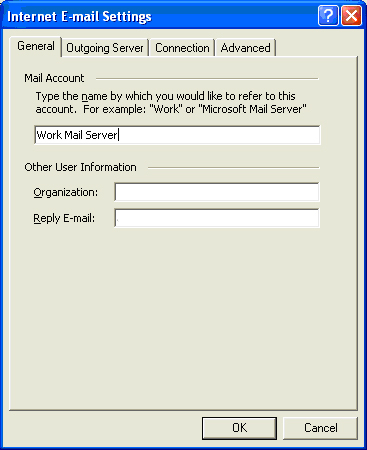
- Click More Settings.
- In the Reply E-mail field, type the email address to be used when replies to messages are sent.
- Click OK.
- Click Next and then click Finish.


Enjoyed reading, very interesting stuff…